
Live streaming
Setting up Veo streaming
This is a one-time setup you do in the Veo Clubhouse at app.veo.co, not in the N1 app. You only need to do it once per club.
Add N1 as a streaming destination
N1 is not one of Veo's built-in streaming platforms, so you need to add it yourself as a custom destination. Once it's set up, N1 appears as an option in the Veo Camera app and you can stream any match to N1.
Add the destination
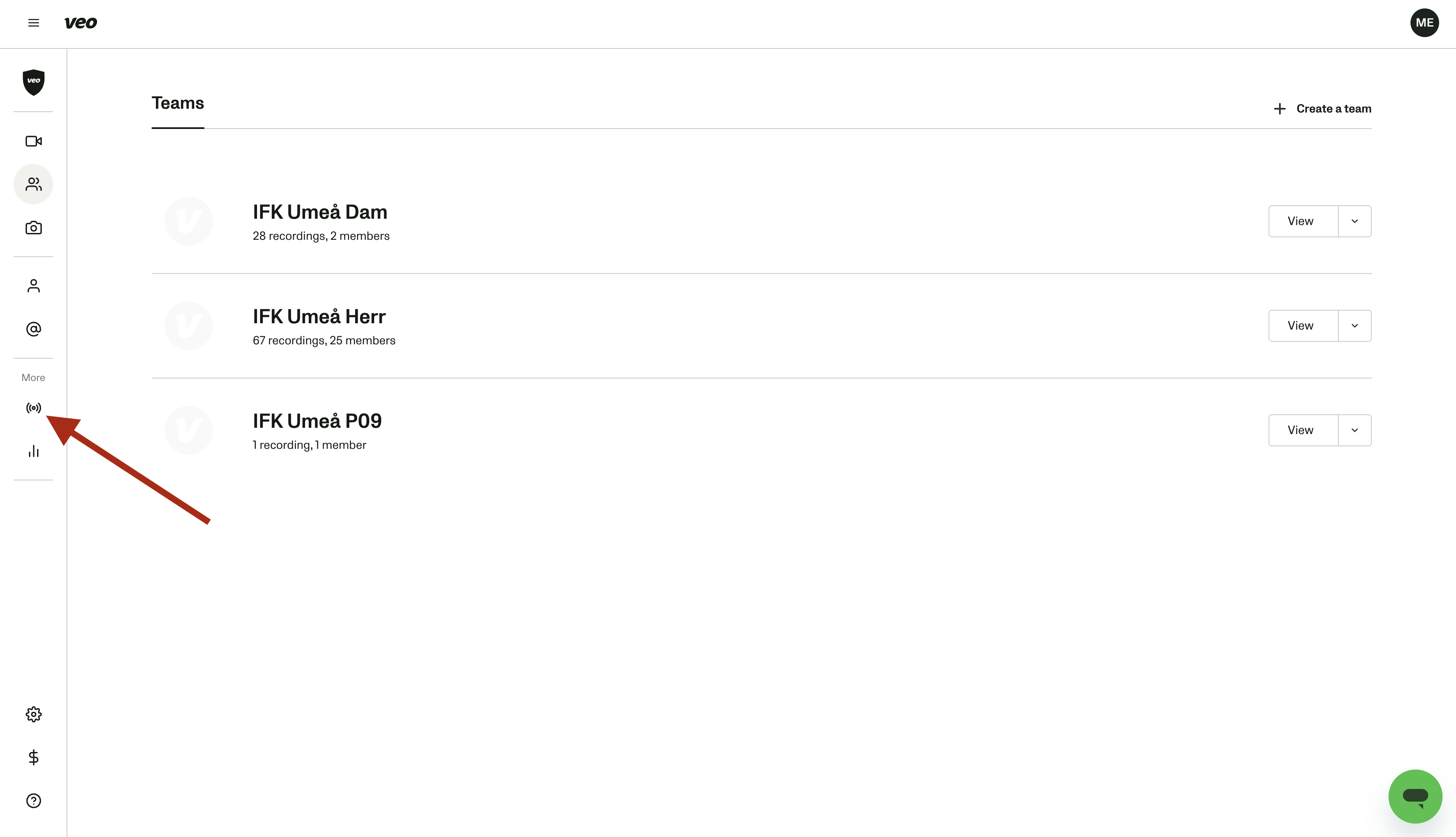
1. Open the Live page in your Veo Clubhouse
Go to app.veo.co and open your club. In the left side menu, click the live icon — the broadcast waves below "More". The Stream Settings tab opens and shows your streaming destinations.
2. Click "Add more"
The button sits at the top right of the "Your streaming destinations" list.
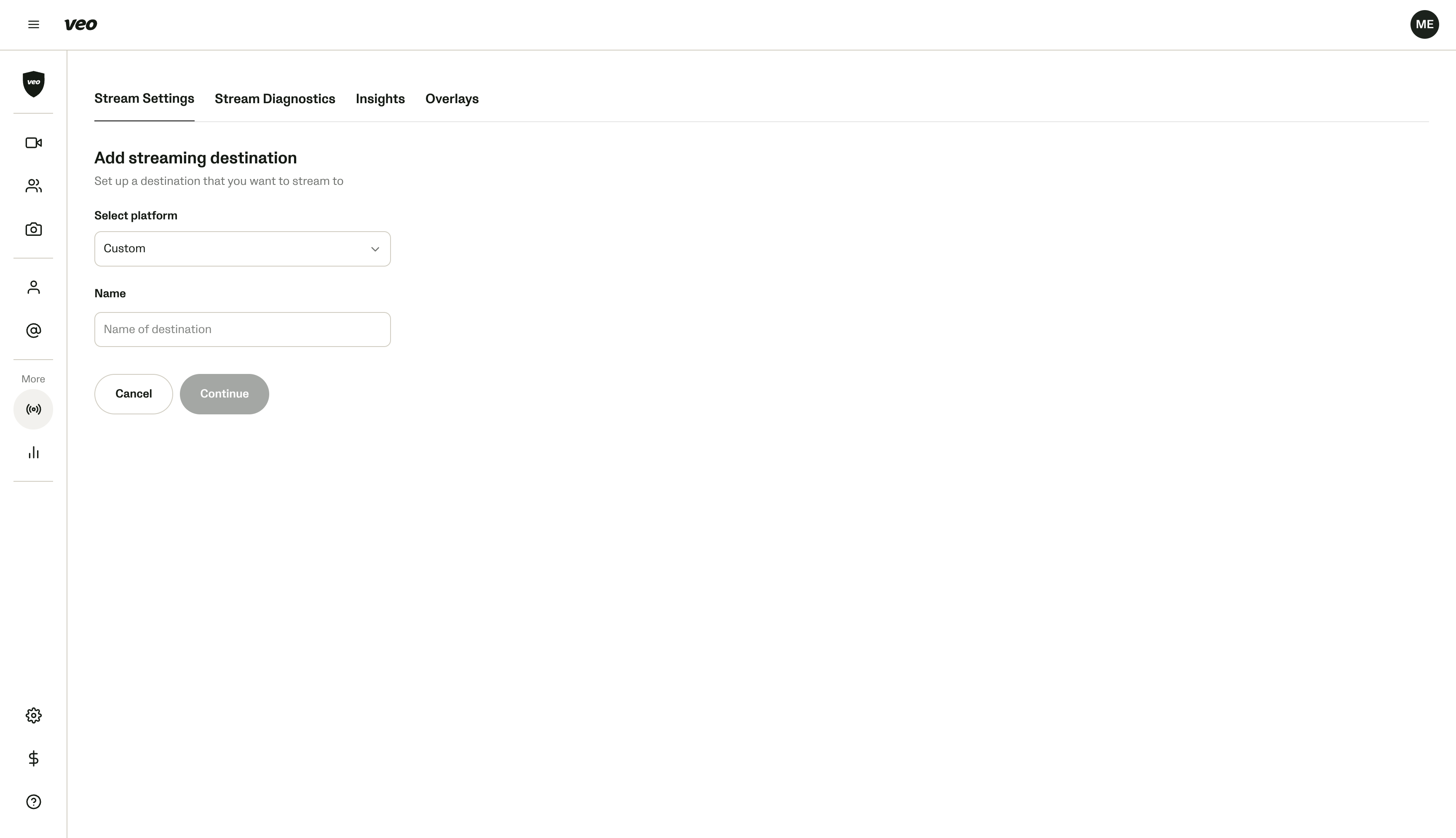
3. Select "Custom" as the platform
Open the "Select platform" dropdown and choose Custom.
4. Name the destination "N1"
This is the name you'll see when you pick a destination in the Veo Camera app, so name it N1.
5. Click "Continue"
Takes you to the RTMP settings for the new destination.
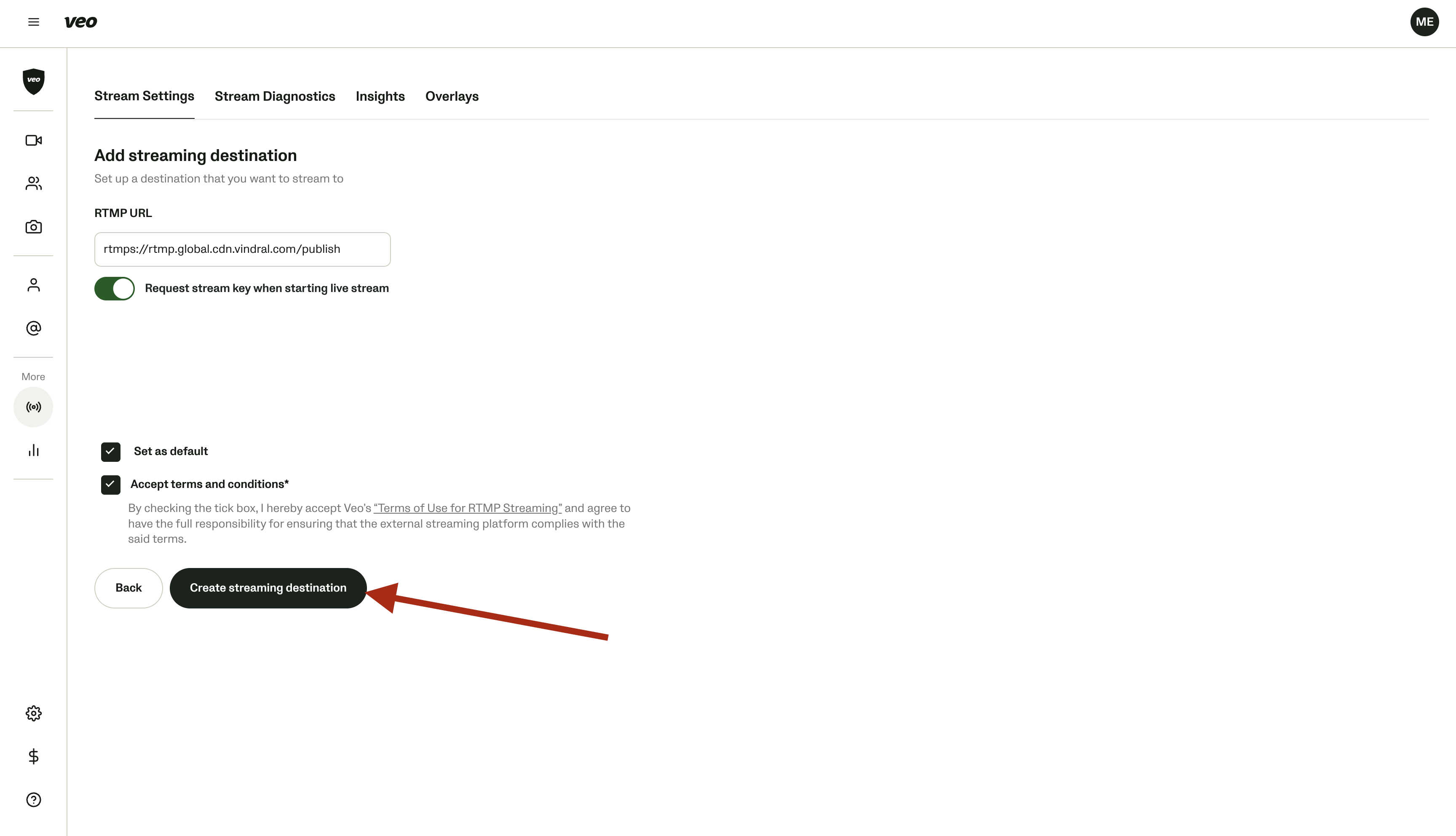
6. Enter the RTMP URL
Paste this address into the RTMP URL field:
7. Turn on "Request stream key when starting live stream"
This one has to be on. Every match in N1 has its own stream key, so Veo needs to ask you for it each time you go live.
8. Set it as default (optional)
Tick "Set as default" if most of your streams go to N1. Veo will then pre-select it when you start a live stream.
9. Accept the terms and create the destination
Tick "Accept terms and conditions" and click "Create streaming destination".
What's next
N1 now shows up in the destination list in the Veo Camera app. You're ready to plan a livestream and stream your first match.